
A guided tour of EduVision Pro, from first login to final report.
Follow one student through the platform and see how admissions, attendance, exams, fees, communication and reports connect, without opening a single spreadsheet.
- Eight stops, from enquiry to reports
- See what each role sees first
- No sign-up needed to read the tour
- 52
- Modules to explore
- 8
- Areas of the institution
- 5
- Role-based dashboards
- 8
- Stops on this tour
The Tour
Follow a student through the platform
One student, eight stops. Choose a stop to see what happens there, who uses it and what it connects to.
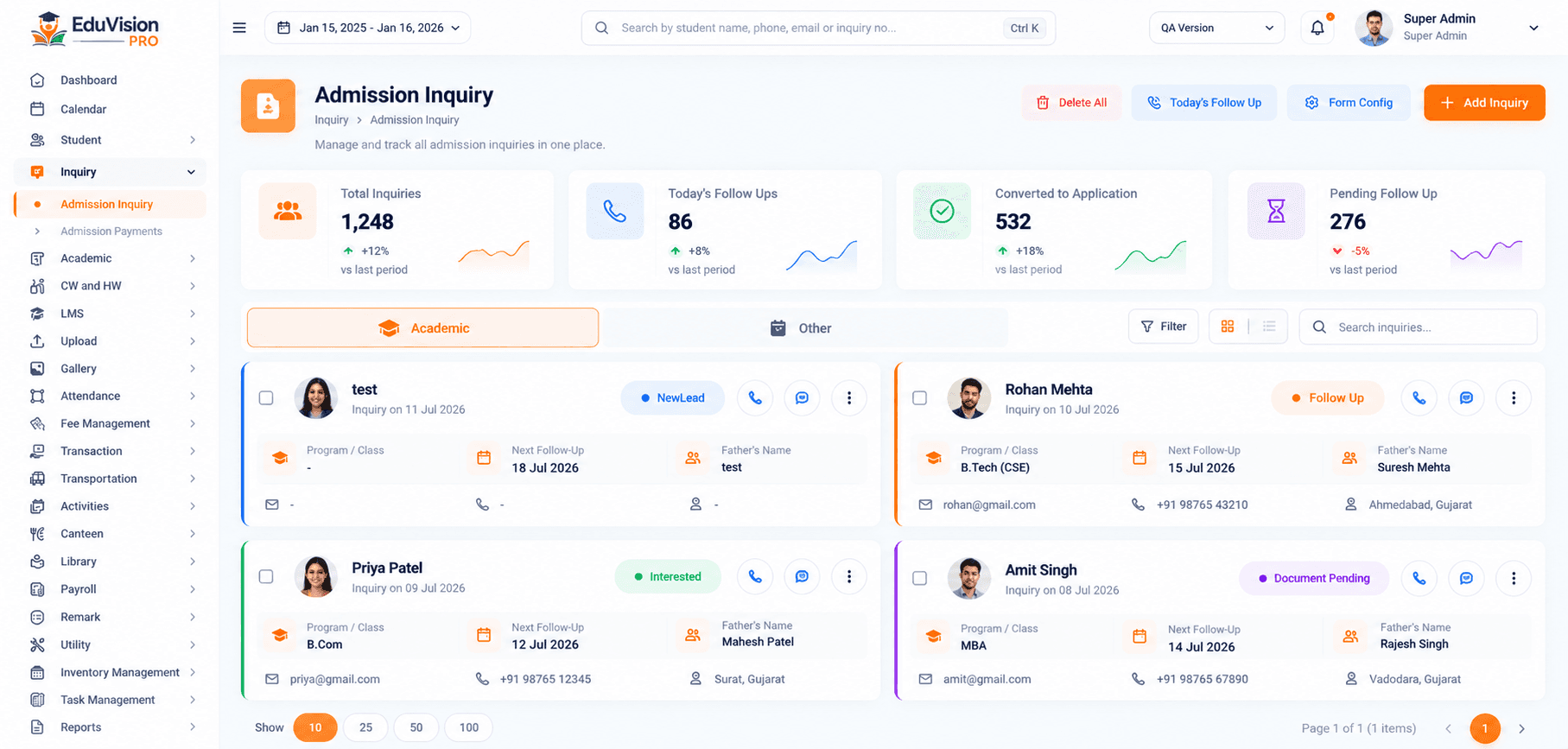
A Day With EduVision Pro
One ordinary day, start to finish
A typical day, showing how the modules take turns without anyone re-entering data.
- Morning
The day opens
Teachers check today's timetable and substitutions, then mark attendance. Parents of absent students are alerted.
- Mid-morning
The office gets moving
New enquiries are followed up, documents are verified and fee payments arrive and are receipted automatically.
- Afternoon
Teaching and assessment
Homework is set, marks are entered and study material is shared, all against the right class.
- Evening
Leaders review
Management opens the dashboard, checks the day's numbers and exports any report they need.
Tour By Role
One day, five perspectives
Follow one ordinary school day across five roles. Everyone works from the same student record, so each step feeds the next.
- ManagementOwners, trustees and principals
- TeachersClass and subject teachers
- ParentsMothers, fathers and guardians
- StudentsLearners at every level
- Admin & OperationsFront office, accounts and operations
One record, five views. Each role only sees what its access allows.
See it for your institutionBeyond The Tour
The whole platform, area by area
The eight stops are just the core. Every area of the institution has its own modules, and you switch on only what you need.
Student Success
5Everything that follows a student — from the first enquiry to daily attendance and wellbeing — in one connected record.
Daily Operations
4The day-to-day work of running a campus — classrooms, staff time, leave and grading — handled in one place.
Teaching & Learning
6Plan, deliver and measure learning: timetables, online classrooms, homework, quizzes, exams and results.
Strategic Capabilities
8Advanced tools that set a modern institution apart — analytics, automation, assessments, workflows and a mobile app.
Finance & Administration
10Fees, accounting, payroll, purchasing and people management — accurate, auditable and always reconciled.
Engagement & Outreach
11Keep students, parents and staff connected, and turn institution-wide data into decisions.
Connected Campus
1Plug EduVision Pro into the learning and communication tools your institution already uses.
After The Tour
Where to go from here
Choose the next step that suits you.
Questions
About the tour and demo
Something else on your mind? Ask our team.
Is this the real product?
This tour describes how the real modules work. For a live look at the screens, request a demo and we will show you the platform itself.
Can we see only the modules we are interested in?
Yes. Tell us what matters to you in the demo request and we will focus the walkthrough on those modules.
How long is a live demo?
We agree the length with you, based on how much you would like to see and who is joining.
Who should join the demo?
Anyone involved in the decision: principals, administrators, accounts, IT and academic heads. Each person sees the part that matters to them.

Let's Build a
Brighter Future Together
Partner with EduVision to simplify education, empower people and create lasting impact for your institution.